Yodeck Installation Guide
You can make your Yodeck device display any website. Trivory for TVs is just a website, so all you need is a link URL. Here's how to get it:
- Go to tv.trivory.com.
- Choose "Custom / I just need a link".
- Enter the setup code.
- If you don't already have a setup code then click here to learn how to generate one.
Once you have the link URL, you can log into your Yodeck device and configure the TV to show the page.
Please follow this guide from to the Yodeck user manual that explains how to add a web page: https://www.yodeck.com/docs/user-manual/web-pages-within-digital-signage/
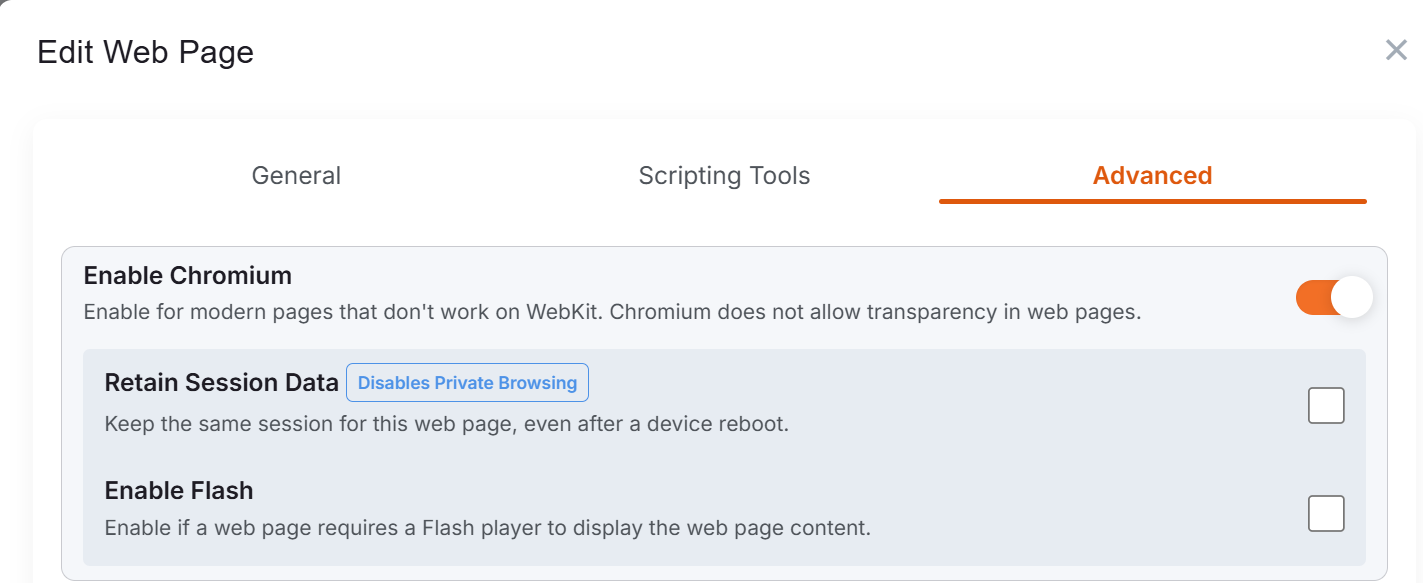
Important: In order for it to work properly, you turn on the "Enable Chromium" option under Advanced settings. If you don't enable this, you'll just get a blank page.
Once you're all done, click here to go to Step 3: Adjust display options for the TV.